6. Exercise
You may find the LegalSS spreadsheet quick reference helpful.
Formalising Simple Rules: Liquor Exercise
The example provided in L4’s “Must Sing” example is “A person who walks, and eats, or drinks, must sing.”
Liquor laws vary in many countries, but most have some constraints on who can buy liquor. Imagine you are an internationally trained lawyer intimately familiar with liquor laws in Singapore and America and are trying to implement a fragment of it into the L4 language.
Task: Implement, in L4, the following legal exercises:
You are given the following rule in the “Learning L4: Liquor Exercise” tab. You should note that:
Words in uppercase are keywords.
Yellow cells are where you should type your answer.
Comments in L4 begin with two backslashes,
\\ like this.Gray cells are for comments.
A person WHO is 21, AND is NOT located within the Little India OR Geylang liquor control zones, MAY buy liquor.
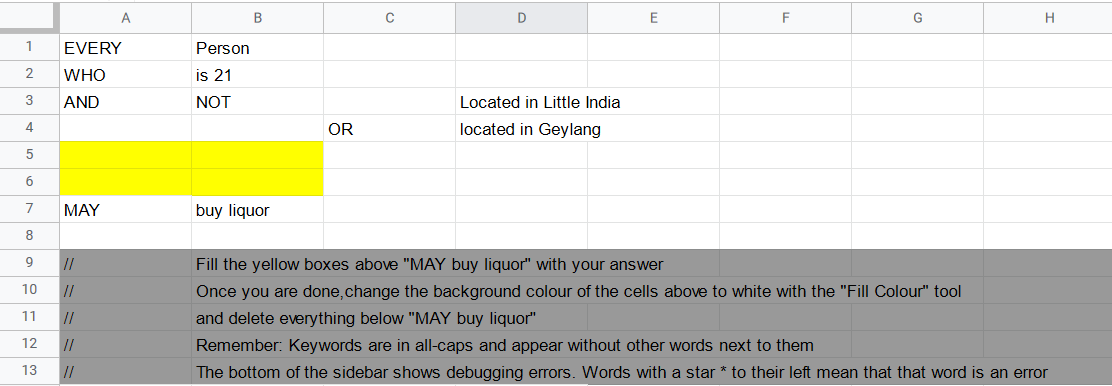
Edit the above rule in L4 to reflect the following, keywords are still in bold but they are not in all-caps.
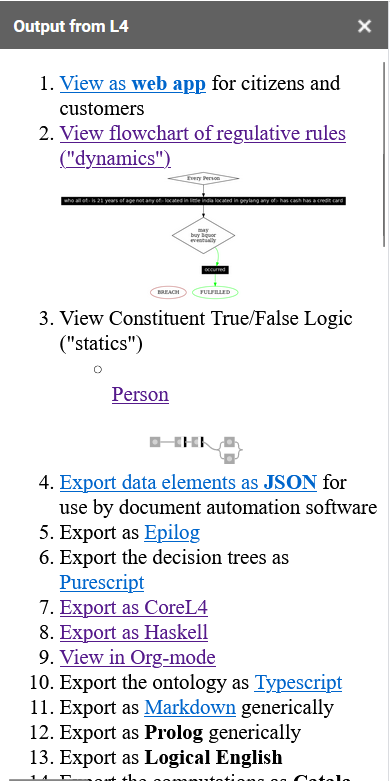
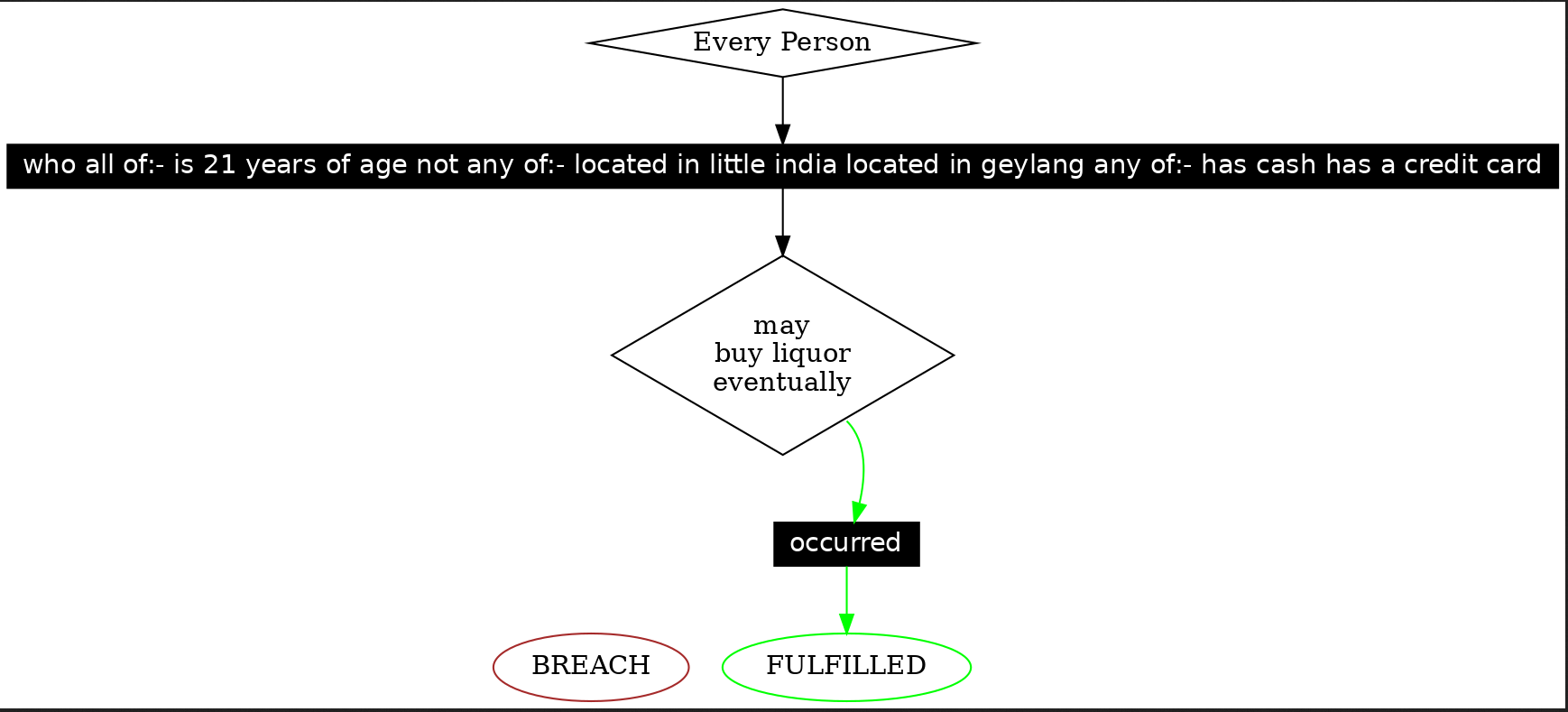
A person who is 21, and has cash, or a credit card, and is not located within the Little India or Geylang liquor control zones, may buy liquor
You will have succeeded if you obtain the following diagrams:

Now, implement the following rule in a new tab in your spreadsheet. Now keywords are neither in bold nor in all-caps!
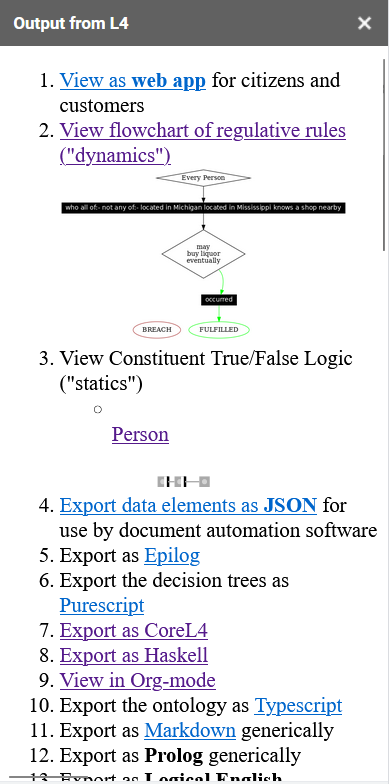
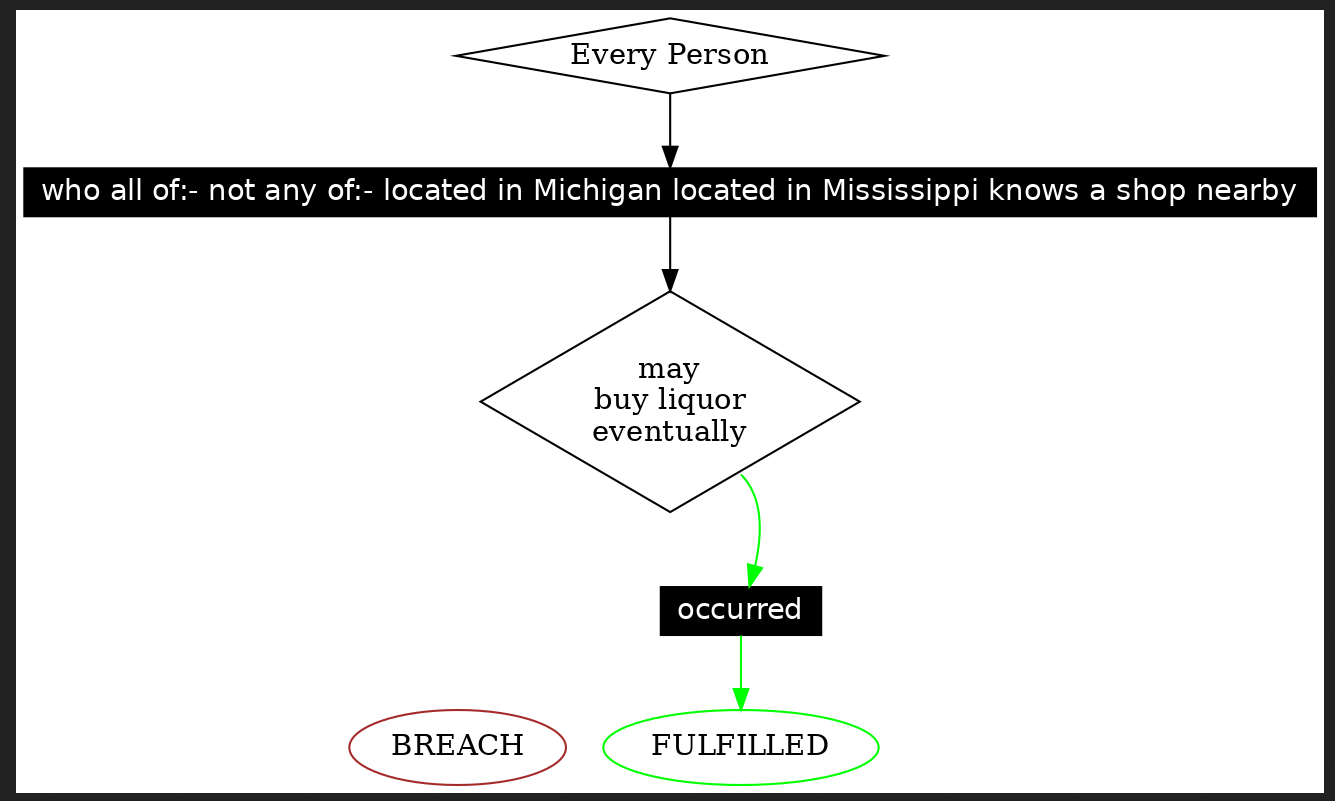
A person who is not in Michigan, and not in Mississipi, and knows a shop nearby, may buy liquor.
You will have succeeded if you obtain the following diagrams:

LegalSS spreadsheet quick reference
Adding tabs to Google Sheets: Click the plus sign on the bottom-left hand corner of your screen, next to where you can find the google sheet tabs.

Sidebar auto-refresh: You can stop auto-refresh by highlighting the cells you are typing in in a shade of grey. To enable auto-refresh, highlight the cells you are typing in back to white, make a minor change, and then wait for refresh.
If the sidebar is not refreshing at all, re-run the Apps script from step 2 of Activating the L4 Sheets IDE.
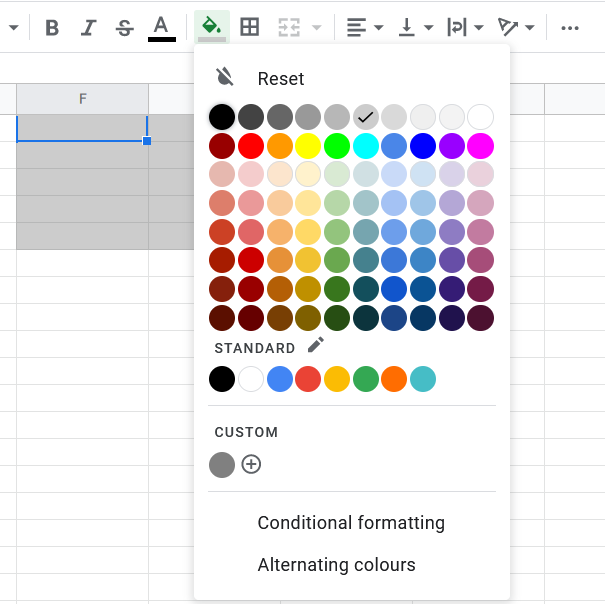
Adding comments to the LegalSS Google Sheets: Comments have a grey background and start with ‘//’.